
Migrating from
Customer.io to Resend
Code converter
Paste your Customer.io integration code and get the Resend equivalent instantly.
Introduction
If you're considering migrating from Customer.io to Resend, you're in the right place.
This guide will help you understand the key differences between the two services and provide you with the necessary steps to make the transition as smooth as possible.
Jump ahead
- History
- Concepts
- Official SDKs
- Send email via API
- Send email via SMTP
- Webhooks
- Security & Privacy
- Idempotency Keys
- Additional Features
- Pricing
- Conclusion
History
Customer.io and Resend are both email delivery services, but they have different histories and focuses.
Key differences
- Customer.io was founded in 2012 with a focus on product and marketing email.
- Resend was founded in 2023. Resend has a focus on providing a modern developer experience.
Concepts
Both Customer.io and Resend provide user-friendly dashboards for managing your email sending.
Domains
In Customer.io and Resend you need to access the Domains page to verify your domain.
With Resend, domains are verified on the Domains page.
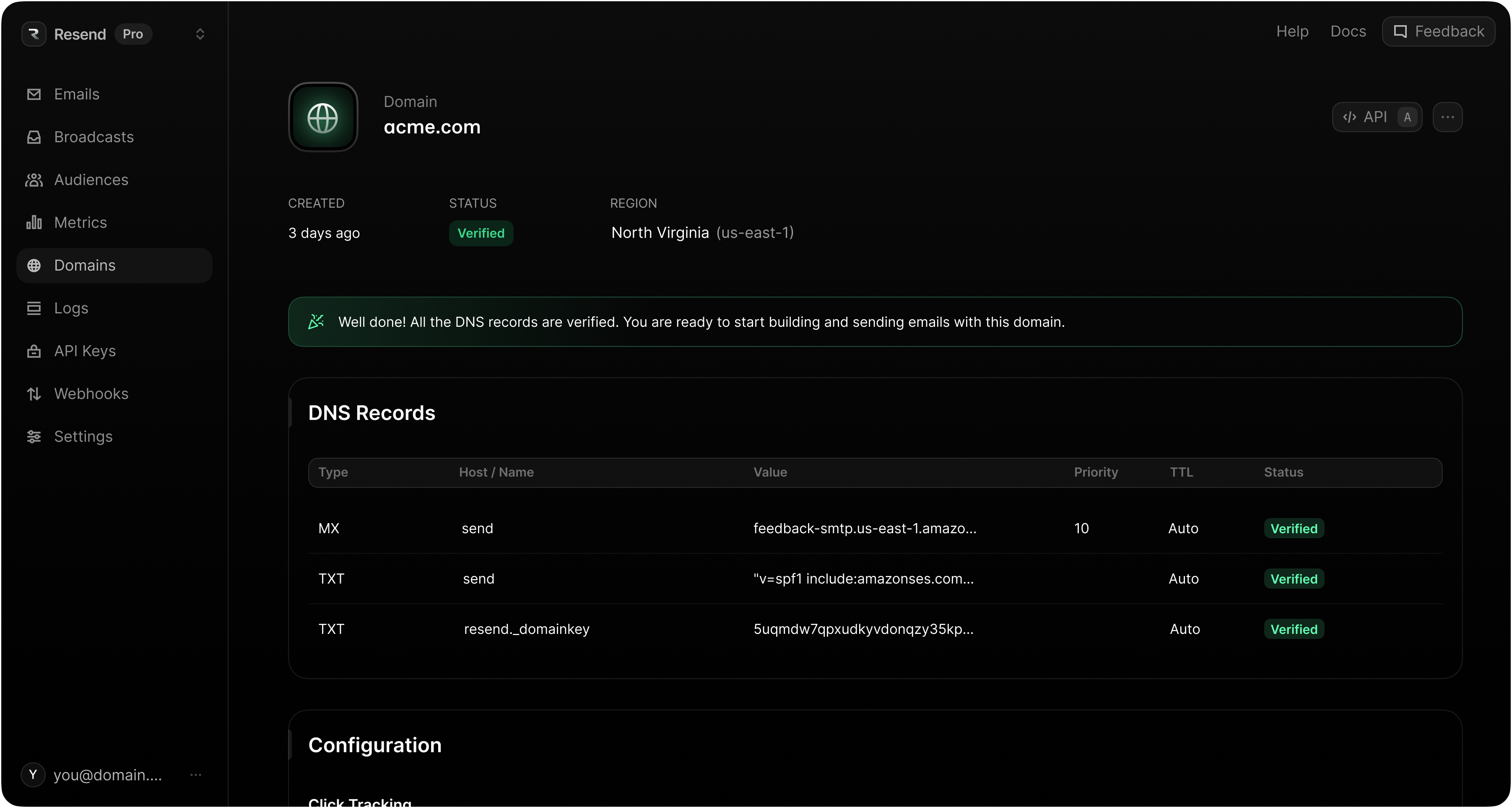
Both Customer.io and Resend offer similar authentication features.
| Name | Customer.io | Resend |
|---|---|---|
| DKIM | DKIM enforced | DKIM enforced |
| SPF | SPF enforced | SPF enforced |
| DMARC | DMARC required | DMARC recommended |
Activity Feed
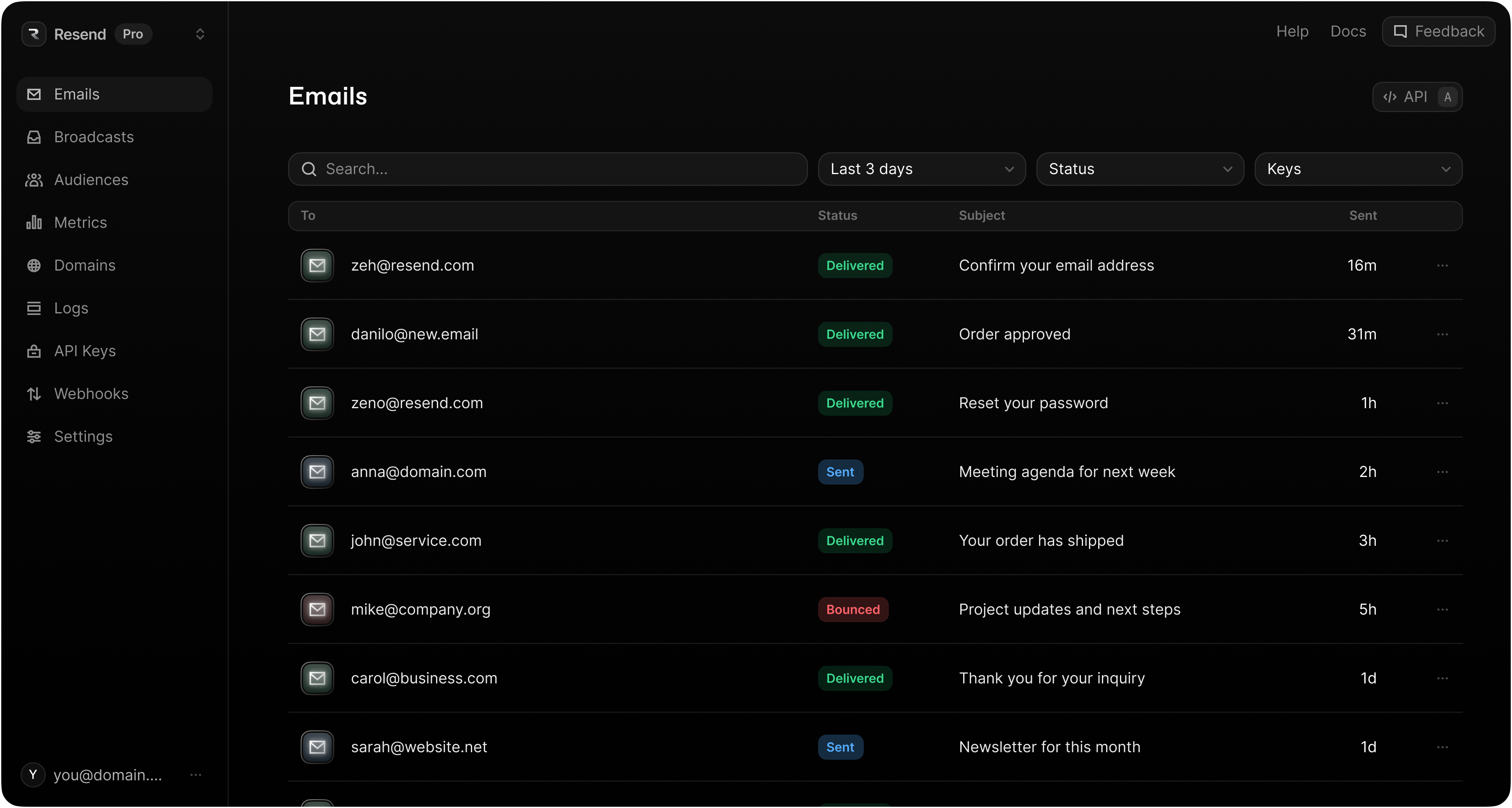
When you send email through Customer.io, sent email is visible on the Deliveries & Drafts page.
When you send email with Resend, emails are visible on the Emails page.
Dashboard
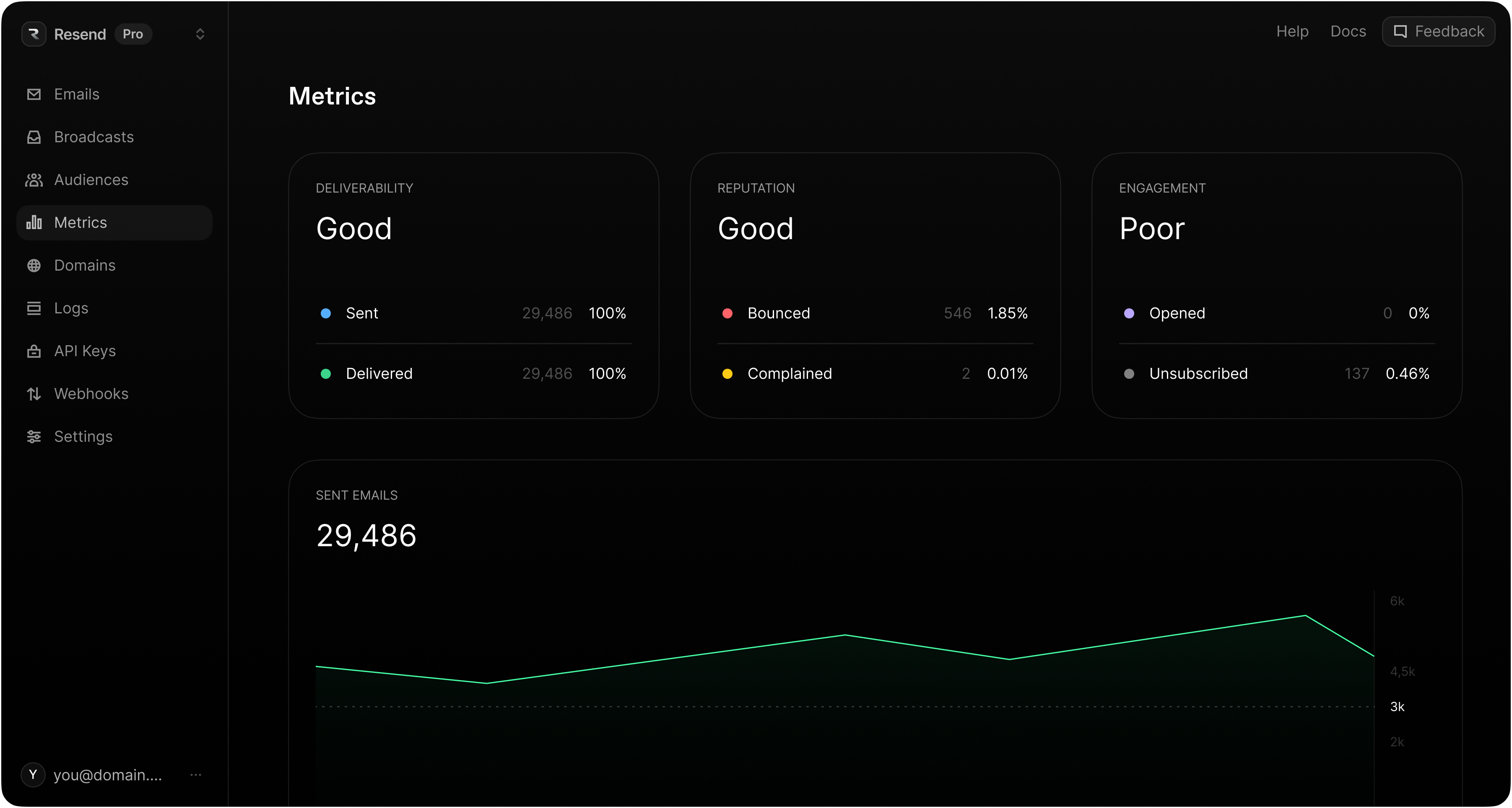
Customer.io shows sending statistics on the Analysis page.
In Resend, statistics are shown on the Metrics page.
Official SDKs
Both Customer.io and Resend provide robust integration options, making it easy to integrate into your application.
Key differences
- Customer.io does not offer offical backend SDKs, relying instead on CDP-like integration sources.
- Resend offers a variety of official backend SDKs for popular programming languages.
| Platform | Customer.io | Resend |
|---|---|---|
| Node.js | node.js source | resend-node |
| PHP | - | resend-php |
| Python | python source | resend-python |
| Ruby | - | resend-ruby |
| Go | go source | resend-go |
| Rust | - | resend-rust |
| Java | - | resend-java |
| .NET | - | resend-dotnet |
Send email via API
Both Customer.io and Resend provide a REST API for sending emails programmatically.
Key differences
Rate limiting
- Customer.io can significantly delay your messages if rate limits are exceeded, but doesn't provide more details or notify you of this delay in its API responses.
- Resend has response headers describing your current rate limit following every request in conformance with the IETF standard (see docs).
Logging
- Customer.io's API only returns an HTTP response. There are no logs of API requests.
- Resend stores a history of API request logs, allowing for easy debugging of API responses and error codes (see docs).
Data Storage Requirements
- A user record is called a "Person" in Customer.io, and a "Contact" in Resend.
- Customer.io requires that every sent email is tied to a "Person/Contact" record.
- Resend only requires Contacts when using Broadcasts or Automations, but not for transactional emails.
Transactional Email
Learn if your email qualifies as transactional email. For all non-transactional automations, see the next section titled "Automations & Campaigns".
Customer.io
const http = require("https");const options = {"method": "POST","hostname": "api.customer.io","port": null,"path": "/v1/send/email","headers": {"content-type": "application/json"}};const req = http.request(options, function (res) {const chunks = [];res.on("data", function (chunk) {chunks.push(chunk);});res.on("end", function () {const body = Buffer.concat(chunks);console.log(body.toString());});});req.write(JSON.stringify({transactional_message_id: 44,to: 'cool.person@example.com',from: 'override-templated-address@example.com',subject: 'Order receipt',identifiers: {email: 'cool.person@example.com'},message_data: {password_reset_token: 'abcde-12345-fghij-d888', account_id: '123dj'},attachments: {'file1.csv': 'base64encodedcontent', 'file2.pdf': 'base64encodedcontent'},headers: {'X-Mailgun-Tag': 'my-cool-tag'},bcc: 'bcc@example.com',disable_message_retention: false,send_to_unsubscribed: true,tracked: true,queue_draft: false,disable_css_preprocessing: true}));req.end();
Resend
import { Resend } from 'resend';const resend = new Resend('re_xxxxxxxxx');await resend.emails.send({from: 'Acme <onboarding@resend.dev>',to: ['delivered@resend.dev'],subject: 'hello world',html: '<p>it works!</p>',});
Events
Both Customer.io and Resend provide automated workflow journey builders. These are called Campaigns in Customer.io and Automations in Resend. These flows can be triggered by API-driven Events in both products. Events are meant to represent customer actions.
Customer.io Events
const { TrackClient, RegionUS } = require('customerio-node');let cio = new TrackClient(siteId, apiKey, { region: RegionUS });// Depending on your workspace settings, customer_id may be an email address.cio.track(5, {name: 'purchase',data: {price: '23.45',product: 'socks'}});
Resend Events
import { Resend } from 'resend';const resend = new Resend('re_xxxxxxxxx');// Trigger with a contact IDconst { data, error } = await resend.events.send({event: 'user.created',contactId: '7f2e4a3b-dfbc-4e9a-8b2c-5f3a1d6e7c8b',payload: {plan: 'pro',},});// Trigger with an email addressconst { data, error } = await resend.events.send({event: 'user.created',email: 'steve.wozniak@gmail.com',payload: {plan: 'pro',},});
Contacts / People
Contacts unlock unsubscribe handling and personalization. Note that Customer.io's endpoint for creating and updating People is the same endpoint, while Resend has separate endpoints for creating and updating Contacts.
Customer.io Create / Update Person
const { TrackClient, RegionUS } = require('customerio-node');let cio = new TrackClient(siteId, apiKey, { region: RegionUS });cio.identify(5, {email: 'customer@example.com',created_at: 1361205308,first_name: 'Bob',plan: 'basic'});
Resend Create Contact - see documentation for updating a contact
import { Resend } from 'resend';const resend = new Resend('re_xxxxxxxxx');const { data, error } = await resend.contacts.create({email: 'steve.wozniak@gmail.com',firstName: 'Steve',lastName: 'Wozniak',unsubscribed: false,});
Send email via SMTP
Customer.io does not support sending emails via SMTP, but Resend does.
If you prefer, you can continue using Customer.io, but transition to using Resend's SMTP service for handling email delivery.
Webhooks
Both Customer.io and Resend provide webhooks to notify your application of email events.
Key differences
- Customer.io does not support inbound email, so inbound webhooks do not exist in Customer.io. Resend supports receiving emails and powers the experience with webhooks.
| Event | Customer.io | Resend |
|---|---|---|
| Inbound | - | Inbound |
| Send | email_sent | email.sent |
| Dropped | email_dropped | - |
| Delivery | email_delivered | email.delivered |
| Delivery Delayed | - | email.delivery_delayed |
| Bounces | email_bounced | email.bounced |
| Complaints | email_spammed | email.complained |
| Open Tracking | email_opened | email.opened |
| Click Tracking | email_clicked | email.clicked |
| Conversion Tracking | email_converted | - |
| Unsubscribe | email_unsubscribed | contact.updated |
| Failed to Send | email_failed | email.failed |
Security & Privacy
Customer.io and Resend have robust and similar security features.
| Name | Customer.io | Resend |
|---|---|---|
| Authentication | Email/Password, Google | Email/Password, Google, GitHub |
| Multi-Factor Auth | MFA available | MFA available |
| GDPR | GDPR compliant | GDPR compliant |
| SOC 2 | SOC 2 compliant | SOC 2 compliant |
| HIPAA | HIPAA compliant | - |
Idempotency Keys
Resend supports idempotency keys on the POST /emails and POST /emails/batch endpoints.
Customer.io does not currently support idempotency keys for their standard API methods, but it is available when using their webhook data-in source.
An idempotent operation is an action you can perform more than once, with the same input, and it always produces the same outcome and avoids repeating side effects.
By adding an Idempotency-Key header, or using the equivalent field on our SDKs, you can tell Resend that this specific email should only be sent once, even if we get more than one request from you about it.
POST /emails
await resend.emails.send({from: 'Acme <onboarding@resend.dev>',to: ['delivered@resend.dev'],subject: 'hello world',html: '<p>it works!</p>',},{idempotencyKey: 'welcome-user/123456789',},);
POST /emails/batch
import { Resend } from 'resend';const resend = new Resend('re_xxxxxxxxx');await resend.batch.send([{from: 'Acme <onboarding@resend.dev>',to: ['foo@gmail.com'],subject: 'hello world',html: '<h1>it works!</h1>',},{from: 'Acme <onboarding@resend.dev>',to: ['bar@outlook.com'],subject: 'world hello',html: '<p>it works!</p>',},],{idempotencyKey: 'team-quota/123456789',},);
Adding idempotency keys not only helps you avoid sending duplicate emails and using up your quota, but also enables building more robust and scalable systems.
Idempotency Keys
Learn how to send an idempotent email using Resend.
resend.com/docs/dashboard/emails/idempotency-keys
Additional Features
Outside of core email sending, Resend offers additional features that Customer.io does not have that may be helpful for you.
Deliverability Insights
Improve your chances of landing in the inbox instead of the spam folder with detailed recommendations on each email sent.

Deliverability Insights
Improve email deliverability by identifying issues and applying best practices.
resend.com/blog/deliverability-insights
Multi-Region
Improve your email deliverability speed by using a region nearest to your users.

Faster Email Delivery with Multi-Region
Faster deliverability with reduced latency.
resend.com/blog/multi-region
Pricing
Customer.io and Resend bill differently. Customer.io bills based on Contact records only. Resend gives you the option to pay based on Contacts, based on emails, or a combination.
Key differences
- Customer.io doesn't offer a free tier like Resend. Customer.io's entry-level plan is $100/month minimum.
- Customer.io requires you to tie a Contact to every single email send. In Resend, your first 1000 Contacts are free, and Contacts are optional*.
| Contacts | Customer.io | Resend |
|---|---|---|
| 1,000 | $100 | $0 |
| 5,000 | $100 | $40 |
| 10,000 | $145 | $80 |
| 25,000 | $325 | $180 |
| 50,000 | $505 | $250 |
| 100,000 | $1000+ | $450 |
| 150,000 | $1000+ | $650 |
| 200,000+ | Custom | Custom |
*Contacts are only required when using Resend's Broadcasts and Automations. If you plan to send only Transactional emails, see our email-based pricing.
Conclusion
Ready to migrate to Resend? Get started. If there's anything else we can help with, contact our team, and we'll answer any questions you have.